From Chaos to Calendar.
We transformed a manual, high-stress triage process into an automated scheduling engine.
The Chaos Phase
-
!
Information Overload
Hundreds of tasks trapped in unread emails and Slack pings.
-
~
Manual Friction
Hours spent every morning manually entering tasks into a calendar.
The Automation Pipeline
A four-phase journey from voice to flow
Capture
Voice memos and emails processed by AI.
Refine
AI categorizes and prioritizes every task.
Schedule
Optimized slots found automatically.
Flow
The user wakes up to a perfect day.
The Flow, in the App
Four screens, from a loose idea to a scheduled day
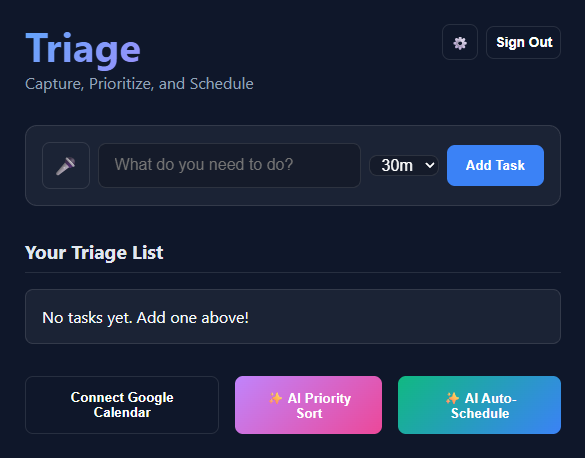
Start with a blank slate. Type an idea, or tap the mic and say it out loud.
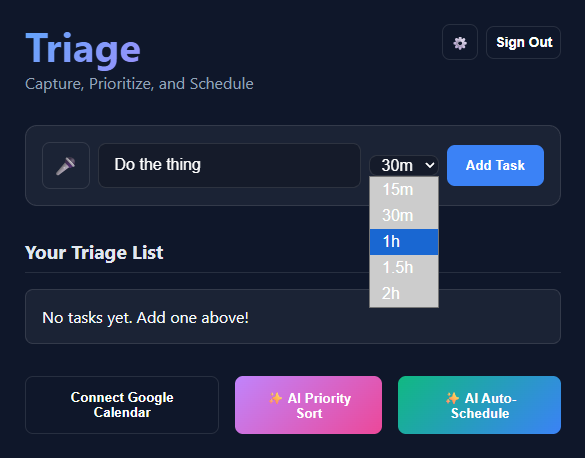
Give each task a time estimate, from 15 minutes to 2 hours. Add it, and it joins the list.
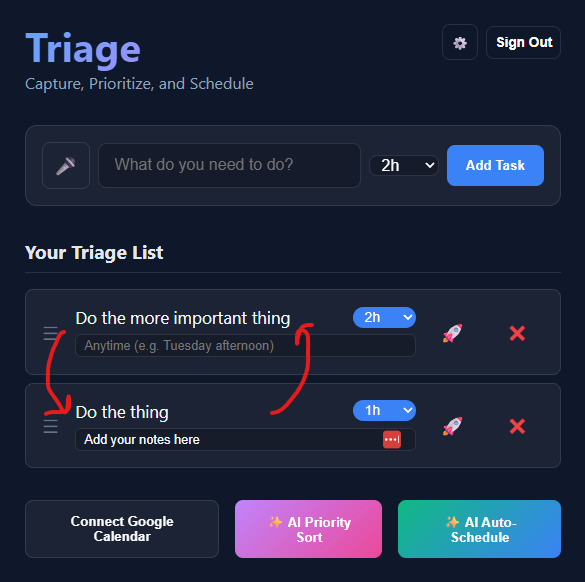
Drag tasks into order, or let AI Priority Sort do it. Add notes and timing hints like “Tuesday afternoon.”
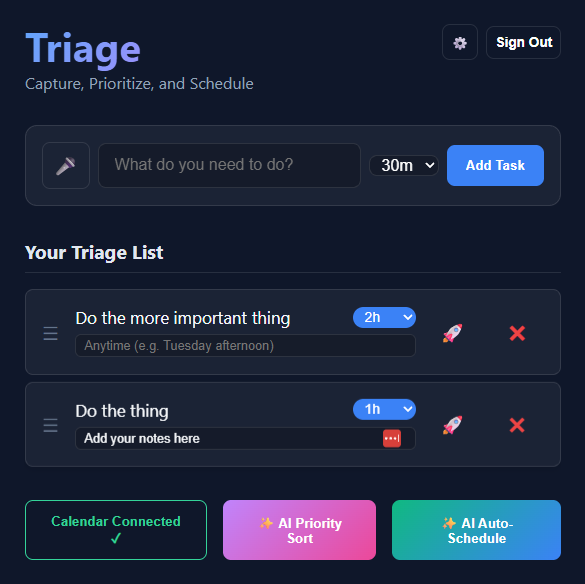
Connect Google Calendar, then AI Auto-Schedule fits each task into an open slot.